Posts tagged "Web Development"

WordPress 7.0

WordPress 7.0 has arrived – and AI integration changes everything

May 22, 2026 Posted by Sean Walsh Round-Up 0 thoughts on “WordPress 7.0 has arrived – and AI integration changes everything”

WordPress 7.0 launched 20 May 2026. Named after jazz musician Louis Armstrong, it is the most significant structural update the platform has shipped since the block editor arrived in 2018. For businesses running WordPress sites – which accounts for the vast majority of websites we build and manage – it is worth understanding what has actually changed, what it means in practice, and why the AI integration in particular is more consequential than it might initially appear.

The headline feature that was widely anticipated, real-time collaborative editing, was quietly removed from the release on 8 May after race conditions and server memory failures made it unsafe to ship at scale. That is the bad news. The good news is that what did ship is arguably more important for most businesses: a native AI infrastructure layer built directly into WordPress core, a rebuilt admin interface, and meaningful improvements to editorial workflow.

What WordPress 7.0 actually shipped

WordPress 7.0 formally marks the beginning of Phase 3 of the Gutenberg roadmap, which the core team has described as the Collaboration phase. The real-time editing delay means that the most visible collaboration feature will not arrive until a future release, but the underlying infrastructure work is substantial.

The key changes that shipped are:

  • The WP AI Client and Abilities API. A native, provider-agnostic AI layer built into WordPress core. It connects directly to OpenAI, Google Gemini and Anthropic Claude without requiring separate plugin integrations for each.
  • A rebuilt admin interface. The first major visual overhaul of the WordPress dashboard since 2013, driven by a new React-based system called DataViews. It brings the backend closer in feel to modern tools like Notion and Airtable.
  • Client-side media processing. Image resizing and compression now happens in the browser using WebAssembly, reducing server load and speeding up media handling.
  • Improved revision history and editorial tools. The revision system has been significantly updated, making it easier to track, compare and restore previous versions of content.
  • PHP 7.4 minimum requirement. Any site running PHP 7.2 or 7.3 that upgrades to WordPress 7.0 will be on an unsupported configuration. If you are unsure which PHP version your site runs on, check with your hosting provider before updating.

Why the AI layer is the most important thing in this release

The WP AI Client and Abilities API deserve more attention than they have received in most of the coverage so far. Until now, AI integration in WordPress has been fragmented: different plugins connecting to different AI providers in different ways, with no standardised approach to authentication, rate limiting or content handling. Every developer building an AI-powered WordPress feature had to solve the same infrastructure problems independently.

WordPress 7.0 changes that. The Abilities API provides a standardised layer that handles authentication, rate limiting, content sanitisation and context management centrally. Plugin developers can now register their plugin’s capabilities so that AI assistants can recognise and use them. Rather than each plugin managing its own AI connection, everything routes through the same core infrastructure with admin approval required before any plugin can use stored AI credentials.

In practical terms, this means AI features in WordPress are about to become significantly more coherent and trustworthy. Instead of a patchwork of third-party solutions with varying quality, reliability and security, the platform now has a single, well-architected layer that plugins can build on. The immediate use cases include content generation assistance, automated alt text for images, SEO optimisation suggestions and workflow automation. The longer-term possibilities, as more plugins adopt the Abilities API, are considerably broader.

Why this matters for your website specifically

The timing of this release is worth noting in the context of the wider changes happening in search. We have written recently about why websites now need to work for AI agents as well as human readers, and the tools available to help businesses monitor and improve their AI search visibility. WordPress 7.0’s AI layer is the platform-level infrastructure that makes it possible to act on those recommendations directly within your CMS, rather than through external tools bolted on afterwards.

For businesses in content-heavy sectors, the improvement to editorial workflows is also meaningful. The revised revision system and better content management tools reduce the friction in maintaining large libraries of treatment pages, service descriptions or course content – exactly the kind of content that AI search systems are trying to parse and cite accurately. Cleaner workflows produce better-maintained content, which produces better AI visibility outcomes.

The admin redesign, while it will take some getting used to, is long overdue. For any client or team member who manages their own WordPress backend, the move toward a more modern interface reduces the learning curve and the number of support requests that agencies like ours receive about basic navigation.

What to be cautious about

WordPress 7.0 is a major release, and major releases carry risks that point updates do not. There are a few things worth being careful about before updating.

  • Check your PHP version. PHP 7.4 is now the minimum. If you are on an older version, contact your hosting provider before touching the WordPress update.
  • Test plugins and themes before updating. The admin rebuild and the new DataViews system may cause compatibility issues with plugins that rely on the old admin interface. Test on a staging environment first, not on your live site.
  • Do not rush the AI features. The Abilities API requires admin approval before any plugin can use stored AI credentials. Take time to understand which plugins you are granting AI access to and why. The framework is sound, but the decisions around which tools to enable are yours to make.
  • Real-time collaboration is not here yet. If you were planning to restructure your editorial workflow around simultaneous editing in WordPress, that feature has been deferred and is unlikely to arrive before 2027.

The bigger picture

WordPress powers around 43% of all websites on the internet. The decision to build a native, standardised AI layer into core is not a minor product update. It is a signal that the platform intends to be a serious player in the AI-assisted web, rather than ceding that ground to newer tools. For the tens of millions of businesses running WordPress, that is a meaningful commitment. For agencies building and managing those sites, it represents a significant expansion of what is possible within the platform most clients are already on. We will be looking closely at how the AI tooling ecosystem evolves to take advantage of the Abilities API over the coming months, and will keep you updated as the picture becomes clearer.

In the meantime, if your site runs on WordPress and you have not already done so, now is a good time to check your PHP version, review your plugin stack, and make sure your staging environment is up to date. The update itself is worth making, but it is worth making carefully.

WordPress (1)

WordPress Market Share Declining

May 15, 2026 Posted by Matthew Widdop Round-Up 0 thoughts on “WordPress Market Share Declining”

WordPress has traditionally been the largest content management system on the web, with over 43% of the internet’s sites being WordPress sites at the height of its market share. Today, WordPress remains the dominant content management system; however, its market dominance is waning. We will look at some alternatives.

Why is WordPress so popular?

WordPress began as a simple blogging platform before evolving into the world’s most widely used content management system. Its open-source nature makes it highly attractive to developers, who can extend its functionality and build custom solutions, while remaining accessible enough for non-technical users to easily create and manage content. This balance of flexibility and usability makes WordPress an ideal platform for businesses of all sizes.

The introduction of a plug-in library which allows users to attach additional functionality to their site, without having to spend time and resources on coding, has made the site extremely popular, with WordPress now having one of the largest plug-in ecosystems in the world, massively speeding up web design and compatibility.

WordPress, in recent years, has leaned even more into accessibility for users of all abilities, with the Gutenberg editor and full site editing, a built-in page builder that allows users to build drag-and-drop sites without having to rely on developers.

One of the drawbacks of WordPress, however, is that page builders, plug-ins and all the features that come with them often lead to bloated and slow sites, and SEOs end up battling against the platform to improve site speed.

What are some alternatives to WordPress?

Alternatives to WordPress include other popular CMS systems such as Shopify, Wix and Joomla. Shopify is an e-commerce-based CMS that has features that make building online stores easier for users, but it is more limited than WordPress sites from a design aspect. Wix, similarly to WordPress, has embraced the drag and drop features of a CMS; however is more limited in terms of back-end development and scaling for medium to larger size organisations.

Many developers are also moving towards using static page builders for their sites, such as Astro, which is a static site generator and web framework. It basically allows users to build basic HTML sites (a lot faster than a WordPress site) while maintaining a framework to build out further pages and expand the site.

While WordPress remains the main content management system on the internet, more businesses are now choosing to look at alternatives for their website development, depending on what suits their business needs rather than focusing on the most popular platform.

The increased diversity in content management systems can only be a good thing for the industry as businesses innovate and find new ways to make interesting sites.

Social media ban (1)

WordPress 7.0 | Everything Marketers Need to Know

May 1, 2026 Posted by Matthew Widdop Round-Up 0 thoughts on “WordPress 7.0 | Everything Marketers Need to Know”

WordPress announced its latest release of WordPress for April 9, 2026,but has since delayed it to May 20, 2026. In this article, we wanted to do a deep dive into the latest features of WordPress 7.0 and how they can be useful for marketers.

Latest Features

AI Model API

One of the most prominent new features coming to WordPress 7.0 is AI model integration. Previously to having AI integration into WordPress, users would have to connect third-party tools or use premium features of existing plug-ins that are often behind a pay wall.

An AI Model API allows users to connect their preferred AI, such as ChatGPT, Claude, or Gemini, into their WordPress dashboard to allow them to automate certain aspects of their content management workflow. This is something we will definitely be using at Intelligency.

Sometimes when working with new client sites, we face issues with alt texts. Alt texts are an accessibility feature that allow visually impaired people to read what an image is displaying. Some sites have thousands of images uploaded without alt texts, which can become an accessibility nightmare as you have to go through and manually update each one. With the new AI API, the AI will be able to create alt texts for images in a matter of seconds, massively improving workflow and saving time. 

Editor Collaboration

A new editor collaboration feature is also coming to WordPress 7.0. The feature will allow more than one editor to edit a document at the same time as one another. This is a nifty feature for any SEOs collaborating to spot-fix problems and will also allow for accelerating workflow between multiple collaborators.

Font Management for Classic Themes

Currently, many sites still run on classic themes that are not compatible with WordPress Full Site Editor capabilities. The latest version of WordPress will introduce some full-site editing capabilities to be compatible with classic themes, such as allowing for improved font capabilities. 

Additional CSS At Block Level

Additional CSS can now be added at the block level with the latest WordPress update. CSS, or cascading style sheets, is how you add additional styling to a WordPress website that is not included in the base functionality. You can now add this at the block level, so it applies to all blocks on your site of a certain type, making it easier to replicate designs across the site.

New Blocks Added

There have also been some new blocks added to the Gutenberg editor (the native editor in WordPress).

  • Icons Block – Currently, there is no native icon block in Gutenberg and WordPress developers have to style it with CSS. WordPress 7.0 is introducing native icon blocks that allow you to.
  • Breadcrumbs Blocks – A dedicated customisable navigation block.
WordPress

WordPress Block Editor vs Page Builders: Pros, Cons and Use Cases in 2026

April 24, 2026 Posted by Matthew Widdop Round-Up 0 thoughts on “WordPress Block Editor vs Page Builders: Pros, Cons and Use Cases in 2026”

When creating and managing a WordPress website, there are different options for developers or beginners to consider when they initially set up their site. The latest version of WordPress 6.9.4 comes with the native block editor (Gutenberg) and the WordPress core theme (TwentyTwentyFive). The Gutenberg block editor is considered the future of WordPress as it offers full site editing capabilities and is future-proof due to always being included in the latest WordPress updates.

There are other ways to build out a site, including using page builder plug-ins, which offer more advanced capabilities than the Gutenberg editor, in terms of layout and drag-and-drop templates, but they have their own drawbacks, which we will speak about later.

Themes, Block Editor and Page Builders

When you’re setting up a WordPress site, one of the first decisions you’ll face is how to build it. You’ve probably already started researching, and if so, you’ll have come across a mix of themes, theme types, editors, and page builders, all promising different benefits.

This guide cuts through that noise. I’ll walk you through the main options, from theme types to editors and page builders, explain how they work together, and help you decide which setup best fits your needs.

Classic Themes

To understand the role the block editor and page builders play in WordPress, we first need to understand themes, as the two are intrinsically linked in the way in which they operate. Every site needs a theme, and it is something that when you start up your site, you will already have a WordPress theme installed.

A WordPress theme is what defines the design, layout and styling of your site. Classic themes are traditional WordPress themes that use PHP templates and CSS to allow you to add additional styling on top of your theme. There are hundreds, if not thousands, of classic themes that have been developed over the years that you can use as a base to build out your WordPress site; some of the most popular include Astra, Generate Press and Neve.

Most classic themes are compatible with the Gutenberg block editor; however, this offers limited capability as you can’t edit global styling (headers, footers, page templates) without coding PHP files.

Block Themes

Block themes are the latest iteration of themes and are fully compatible with the Gutenberg block editor. Block themes allow for full site editing (FSE), which means that all the global styling can be edited within WordPress, making for an easier design and styling process. These block themes also allow the creation of template parts or reusable sections or block patterns, allowing you to reuse them across your site for ease of use when building.

WordPress Editor vs Page Builders

The Gutenberg block editor is, as mentioned, the standard editor you get when you create a WordPress site. Page builders are essentially drag-and-drop editors that are visually easier to use for beginners who want to build a site quickly.

The downside of using page builders is that they are often heavy plug-ins that add a lot of unnecessary code and bloat to a site that can slow it down considerably. Also, while most page builders are compatible with Block themes and FSE, you wouldn’t typically use page builders with Full Site Editing, as there are overlaps in functionality, such as custom templates, headers, footers and global styles and using both would add unnecessary bloat and code to your site. Page builders are typically used alongside classic themes, which, as discussed, are a more traditional way of building out a WordPress site.

However, the drawbacks of using Gutenberg is, despite continuously improving, it is still more of a structured builder and can be somewhat restrictive, whereas page builders are often highly visual and better for beginners. You can, however, increase the functionality of the block editor by coding custom blocks.

An additional point to make is also factoring in cost; the block editor is free to use, and your only cost will be the development time. Page builders often come free at the point of use, but additional features such as custom template builders, etc., require additional fees.

There is no correct way to build a WordPress site, and there are pros and cons to both approaches depending on your skill level and how much time and resources you have available to you. It is wise to consider the benefits and drawbacks of each approach before building out your site.

Wordpress guide

WordPress for Beginners

April 17, 2026 Posted by Matthew Widdop Round-Up 0 thoughts on “WordPress for Beginners”

WordPress is the world’s most popular content management system that is used by millions worldwide to deliver content on their websites to end users. In this article, we will talk all about how beginners can use WordPress to create and deliver content and what some of the key features are that make it stand out from its competitors.

What is a Content Management System

A Content Management System is a software that allows users to upload, edit, design and publish content for users to view online. It makes content delivery more accessible for beginners who don’t know how to write code or have technical delivery skills. CMS’, such as WordPress, are not only used by beginners, but also make more complex, normally time-consuming tasks more streamlined, even for experienced web designers and developers.

What Content can you create on WordPress?

WordPress is a versatile Content Management System that can be used to create almost any type of content. The two main types of content that you can produce on WordPress are:

Pages – These are the cornerstone of your website and are static content that is designed to form a permanent structure and give people information about your site.

Posts – These are not cornerstone pieces but are time-sensitive pieces of content that are ideal for content such as articles, blogs and latest news sections. These posts can be organised with categories and tags (taxonomies) to create distinct sections of the site for end users.

Users can also create other types of content outside of pages and posts, such as galleries or product pages, but often these require plug-ins as opposed to using basic WordPress features.

WordPress Key Features

WordPress has a number of key features that help aid users in content creation:

Plug-Ins: These are extensions you can add to your Content Management System that let you add additional functionality to your site without having to add code, saving time and making functionality more accessible. Because WordPress is open source (available to develop and create for free), there are thousands of plug-ins that can be used to add functionality for almost anything you can think of!

Themes: Are added to your site and determine the style, functionality, layout and colour scheme of your site. Unlike plug-ins, which are optional, themes are a necessary part of a WordPress site, and your site will be loaded with a basic WordPress theme, which you can change for additional functionality.

SEO: Search Engine Optimisation is the practice of improving your website’s visibility and rankings in search engines by maintaining and improving your website. WordPress supports SEO and aids in its implementation, including adding titles and headers to content, adding alt text to images for increased accessibility and more. SEO plug-ins are also available and compatible with WordPress sites that add additional SEO functionality, such as Yoast SEO.

Media Library – WordPress’s media library allows you to upload and store content in the backend of your website for ease of use, such as images and videos. The media library will also generate multiple different sizes of your images to make sure it is always serving them on the web in optimal sizes.

These are just some of the different types of content and key features you can use on WordPress to improve your site. Once using WordPress, you begin to realise that the possibilities truly are endless in terms of site building on the platform if you know how to use it correctly.

Wordpress AI Guidelines

How to Use AI on WordPress

February 6, 2026 Posted by Matthew Widdop Round-Up 0 thoughts on “How to Use AI on WordPress”

In 2026, almost all marketing companies will be using AI to varying degrees to assist them in their workflow whether that be with ideation, vibe coding, writing titles and descriptions for their websites or designing graphics. While no one would deny AI can be a useful tool for marketers to improve workflow and performance, overrelying on these tools, especially when writing content or producing code can create negative results for your site, especially if you are using it to create regurgitated content or intrinsic code. This can damage rankings and performance, which all marketers can agree is the opposite of helpful.

Luckily for marketers, WordPress, the most used content management platform worldwide, have released a guide on how to use AI to combat “AI Slop” as they call it and make sure your using AI to the benefit, not detriment of your site.

Core Principles

WordPress have released some core principles to help people remain ethical in their use of AI on their site. We’ll go through this principles together and talk about why they are important for maintaining a healthy WordPress site.

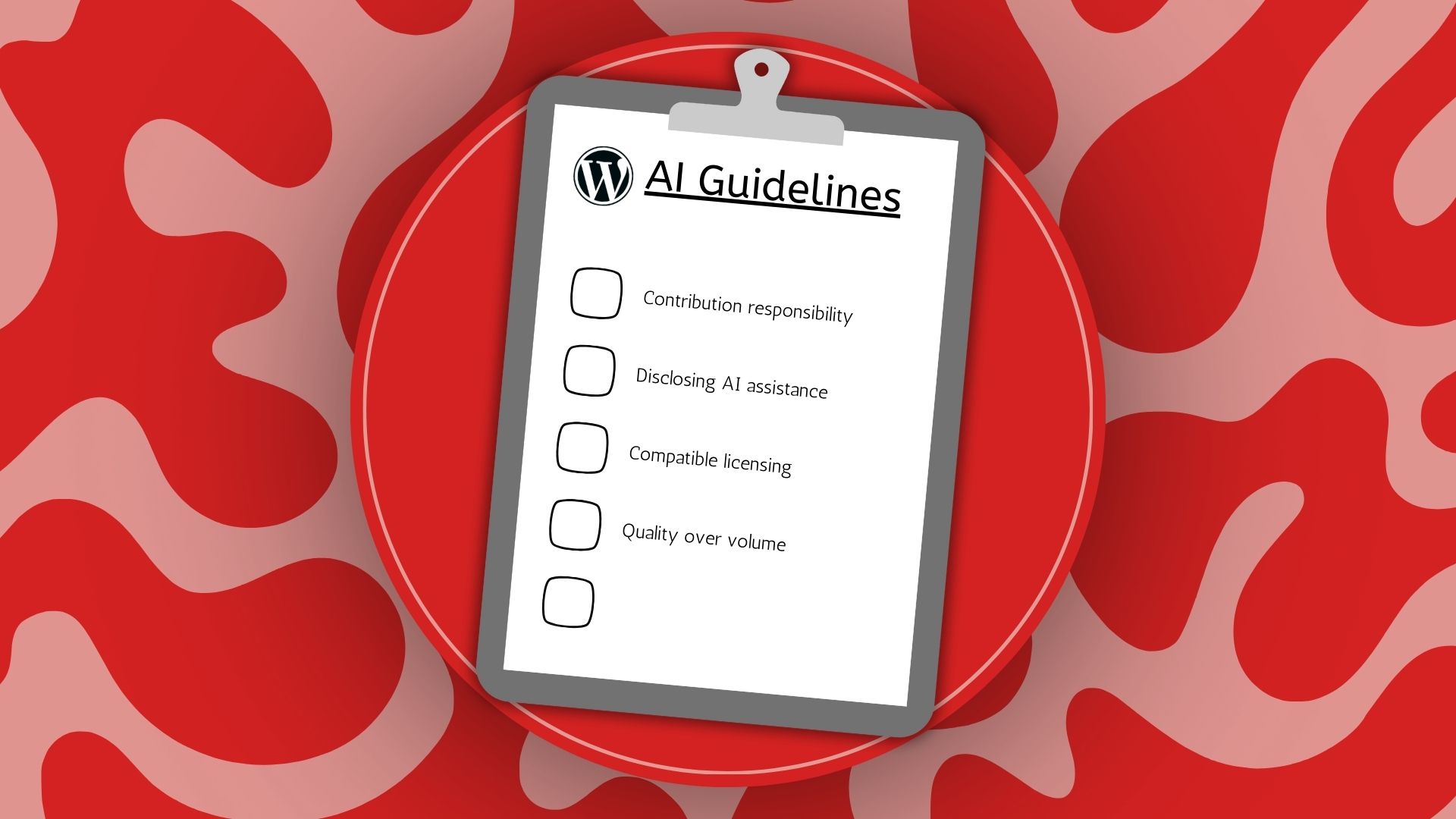
  • You are responsible for your own contributions – Everything that goes live on your site comes under your domain, so any content that you produce or code that is written with the help of AI, you need to make sure that you understand it and that it is helpful to your site in a meaningful way. If you are producing content or code you don’t understand you are likely to be giving content to your users that has hallucinations or adding code to the site that could break functionality.
  • Disclose when AI is used in content – Unless you’re using AI in a very minor way to make small adjustments, then you should always disclose to the end user that AI has been used to help create a piece of work.
  • Non-code contributions and assets – Making sure you are licensed to use any and all of the assets that you have acquired from AI is important. You need to make sure that all images and videos are available for public use otherwise you could be infringing on copyright and be penalised for this.
  • Quality over volume (No AI Slop) – You need to review anything that has been created by AI that you will add to your site thoroughly to make sure it is quality. AI could be creating bloated or unnecessary code for example when a simple fix would have sufficed.

What this means for Marketers

AI can be a useful tool but making sure it is fully licensed, you understand – can ensure the quality of what is being produced and making sure that you have thoroughly reviewed any AI content going live on your site and have explicitly stated to end users when it is used, will ensure that marketers are complying with the latest AI guidelines and making safe and reliable content while improving your workflow.

Matty - AI coding and websites

Build WordPress Websites with AI

October 17, 2025 Posted by Matthew Widdop Round-Up 0 thoughts on “Build WordPress Websites with AI”

10Web announced Vibe for WordPress, an AI tool that can generate a fully functioning WordPress site from prompts. This could be a game-changer in the marketing industry, significantly reducing the time and cost it would take to make a fully functioning site.

How does Vibe for WordPress work?

When users visit this URL, there is a prompt box that allows users to provide the name of your site and describe it. This prompt will be used as the basis for the creation of your site.

I created a prompt for a new Intelligency site to test out what Vibe has to offer:

Image

Once you have submitted your prompt, Vibe gives you a chance to lay out a basic site structure for how you want your site to look and the pages you want to create. Vibe will then autogenerate a site based on the prompts you gave it earlier.

Image

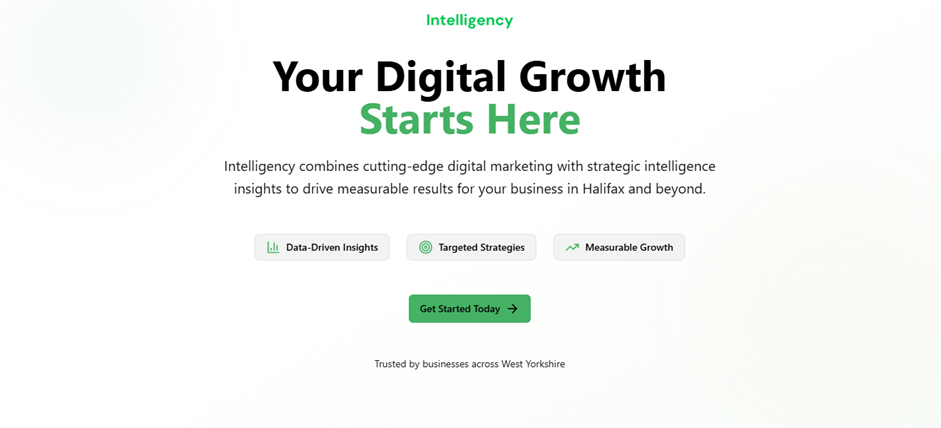
Above is the Hero section of the new homepage Vibe generated for my new Intelligency site. While it’s only basic, this could be a huge time saver for developers. Giving them a nice framework to build out from. Below is a review section I asked in my prompt to be added to the homepage.

image

Once Vibe has created your site, you can log in to the backend and edit functionality, including creating new pages or adding a plug-in, just as you would with any other WordPress site. Vibe is also SEO friendly and makes sure any new site created follows key seo principles, such as optimised content and applying Schema markup to pages.

You can also use Vibe to update your already existing site with AI to give it a “fresher” look, but make sure that when prompting it to tell it to generate as a draft version, so you don’t overwrite your live site.

What this means for Marketers

Having the ability to use AI to create new but also update existing content with the click of a button makes site creation immediately more accessible to non-developers, while also speeding up workflows for developers themselves.

Wordpress plugin issue (1)

Vulnerable WordPress Plugin Affecting Sites

August 15, 2025 Posted by Matthew Widdop Round-Up 0 thoughts on “Vulnerable WordPress Plugin Affecting Sites”

A vulnerability across 3 WordPress file plug-ins is leaving up to 1.3 million sites on the platform susceptible to cyber attacks. The plug-ins affected include File Manager WordPress Plugin, Advanced File Manager and File Manager Pro.

How are sites affected?

The core vulnerability can be exploited by anyone on the internet, without a login, if the file manager has been set to publicly accessible. Once the hackers exploited the plugin they can start deleting files on your site causing major damage. This could lead to themes, plug-ins and media libraries being completely wiped out or completely disabling a site, leading to major SEO ranking drops, financial loss and damage to brand reputation.

How is the vulnerability caused?

The vulnerability is caused by outdated versions of elFinder file manager. Elfinder is not a WordPress plugin but rather an open-source file manager library that can be integrated into other tools. These vulnerable WordPress plugins use elFinder to provide their file management features. Versions from 2.1.64 and earlier are susceptible and are easily manipulated by attackers.

How to fix the issue

Site owners can make sure their sites stay safe by simply updating to the latest versions of the plug-ins which don’t use the susceptible version of elFinder and also ensure all file managers are not publicly accessible on their site. Make sure to restrict access only to accounts that are trusted such as admins.

How this affects Site Owners

This is not the first and won’t be the last case of WordPress plugin vulnerabilities causing issues for site owners. Many of these vulnerabilities often come from third party libraries. Site owners need to continually monitor plug-ins and make sure they are updated promptly when possible to reduce the risk of vulnerability.

2[1]

WordPress to Integrate AI

June 6, 2025 Posted by Matthew Widdop News 0 thoughts on “WordPress to Integrate AI”

WordPress is forming an AI team to help with the development of AI products on the platform.

What is WordPress

WordPress is an open source content management system which allows users to create and manage websites including updating blogs, imagery, and customising UX. Users can use plug-ins which can be added to their site from WordPress extensive library which allow for enhanced customisation features and increased website functionality.

Why is WordPress forming an Open AI team

The open source nature of WordPress means that developers can create all manner of plug-ins and many have already begun to experiment with AI tools as current WordPress developers have published 660 different AI plug-ins for WordPress. 

The AI team will consist of James LePage, head of AI at Automattic, Felix Arntz and Pascal Birchel from Google, and Jeff Paul, director of Open Source at 10up and their role will be to oversee the development of AI tools. 

This is what WordPress Executive Director, Mary Hubbard, had to say in her latest blog post on why this matters, “Strategic focus: A unified team stewards AI development thoughtfully, avoids fragmentation, and ensures alignment with the long-term goals of WordPress.

Shared innovation: Contributors and companies are actively exploring AI across the ecosystem. This team provides a central place to collaborate, share ideas, and build together.

Rapid iteration: Like the Performance Team, we’ll take a plugin-first approach. Canonical plugins will allow us to move quickly, gather feedback, and deliver real value without waiting on the Core release cycle.”

Why is this important for SEOs

WordPress is the most popular CMS on the internet powering an estimated 43.4% of websites worldwide. Increased AI functionality within WordPress will be key for SEOs to enhance workflows and speed up functionality and processes of their site to increase workplace productivity. 

Choosing the right CMS for your business

Choosing the right CMS for your business

March 21, 2025 Posted by Matthew Widdop Round-Up 0 thoughts on “Choosing the right CMS for your business”

Choosing the right Content Management System is crucial for any business wanting to thrive online. These platforms allow users to create and adapt their websites and content for their audiences, which is the most fundamental element of having success online.

There are a variety of CMS to choose from all with different strengths and weaknesses. In this article, we will run through some of the most popular CMS and which one is the right choice for your business.

WordPress

WordPress is the most popular CMS system currently in use. It is an open-source website which means the code is made available to the public to be modified. This is important because it allows users to add customisable features (plug-ins) to their platforms which enhance functionality and diversify content, making it an ideal platform for a wide range of businesses. Websites can accommodate websites of various sizes so is not only ideal for beginners.

Wix

Wix is an easy to use CMS system that allows users to “drag and drop” elements to build their websites. Ideal for beginners who have small businesses, Wix could be your go to option. However, for larger businesses or businesses that want to scale in size Wix may not be the best option. It is not open source so you are limited to what you can change on the site outside of your content. 

HubSpot CMS

Hubspot is a customer relationship management system that also offers its own CMS. Hubspot’s CMS is available free and has loads of useful marketing features including personalised content, email marketing, automation, membership websites. On the free version the hubspot logo will appear on forms and pages and users are limited to 25 pages. So if you’re   thinking about building a comprehensive long term website, Hubspot CMS might not be the way to go unless you’re considering getting a paid subscription.

Shopify

Shopify is an e-commerce platform that has a user friendly interface, allows for scalability and has advanced features such as secure checkout, multiple payment options, customer support and international selling. However, some users find the platforms content creation and customisation can be complex with the use of apps required for any complex customisation which increases cost.

If you need help choosing the right CMS system for your business feel free to get in touch.

Latest Posts

Categories