

Matthew Widdop
Matty is a Digital SEO Executive at Intelligency, helping our clients to improve their digital performance. Matty is currently studying for his Level 3 Multi-Channel Marketer apprenticeship and has completed a Sport Journalism Degree at the University of Huddersfield.
When taking a new website or business into the online sphere, one of the first things you will want to do is set up a Google My Business account. Google My Business is a free tool provided by Google that allows you to register your business, and show your services, contact information, photos, reviews and more. This is one of the best ways to achieve fast visibility online and is a major component of Local SEO, making sure you are seen in your local online community and driving engagement.
How to set up Google My Business
Not only does setting up a Google My Business profile increase your visibility in search, it also allows you to appear on Google Maps. If you need to set up a Business profile and don’t know where to begin, follow these steps:
- Sign in with a Google Account – Use a free Google account associated with your business.
- Go to the Google Business Profile page – Visit: Google Business Profile
- Add your business – Click Manage now or Add your business to Google.
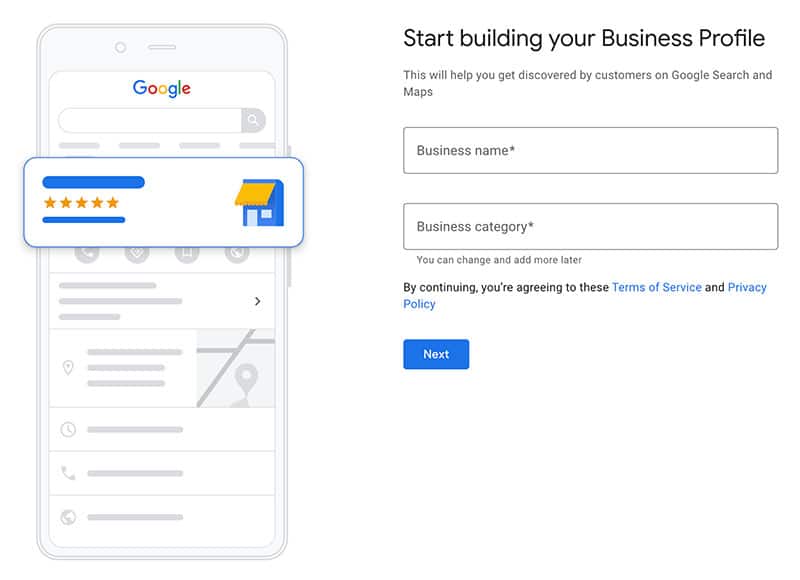
- Enter your business information – Here’s what you’ll be asked for:
- Business name
- Business category (choose the most accurate one)
- Physical address (if customers visit your location)
- Service area (if you travel to customers)
- Phone number
- Website (optional but recommended)
- Verify your business – Google will ask you to verify ownership. Depending on your business, verification may be by video, phone or e-mail
- Complete Your Profile – After verification you can add more information such as business hours, logos, a cover photo, products or services and more.
How to Improve Your Business Profile Over Time
You need to make sure your business profile is constantly evolving and improving over time. You can do this by responding to customer reviews, posting updates and events, keeping your hours current and regularly adding new photos.
Following these key steps will give you access to a whole new customer base online and give your business a new opportunity to thrive in the digital space.